At Katalyst Engineering Services, we continually strive to drive innovation by deftly utilizing these resources, changing the issues encountered by various industries and fields with potential solutions.
At Katalyst Engineering Services, we continually strive to drive innovation by deftly utilizing these resources, changing the issues encountered by various industries and fields with potential solutions.

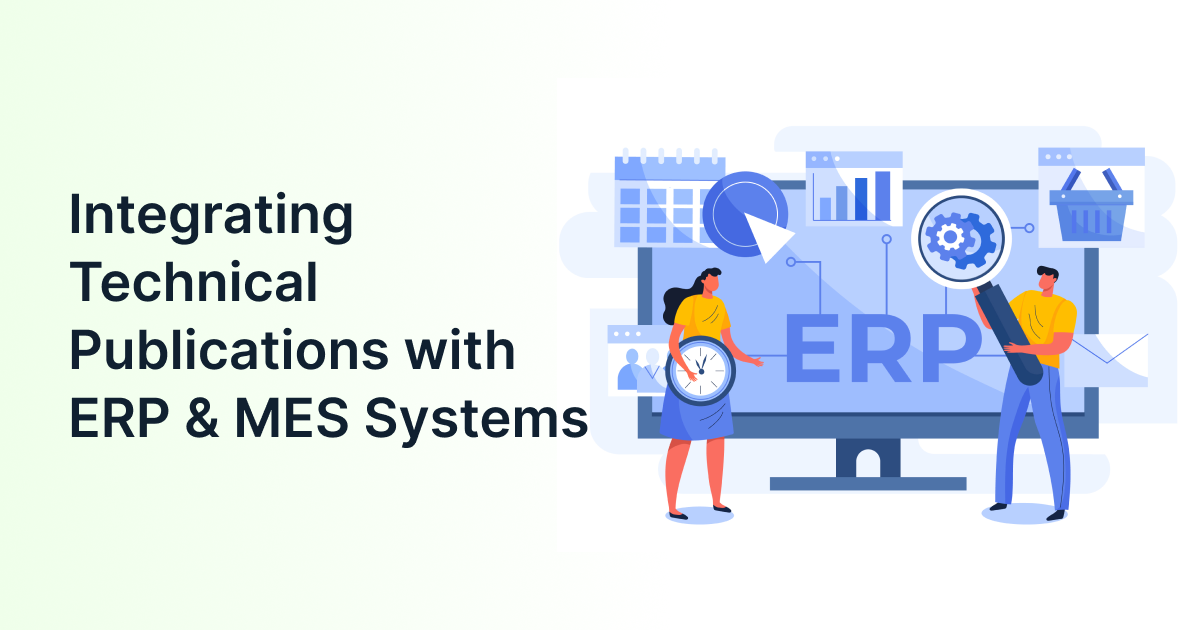
Manufacturers rely on both business planning and shop-floor execution to keep production moving. However, when ERP and MES systems operate separately, teams often depend on spreadsheets, manual data entry, and repeated status checks. ERP and MES integration connects these systems so production plans, material information, work orders & actual manufacturing data can move between them more reliably.
This integration also affects technical documentation. When a product revision, bill of materials, or manufacturing process changes, connected systems help teams identify which work instructions and technical publications may require review. Katalyst Engineering’s technical publication services support this broader documentation workflow by helping manufacturers create, update, and manage accurate engineering information.
To understand ERP and MES integration, you need to first understand what each system does. ERP, or enterprise resource planning, manages business-level activities such as purchasing, inventory, production planning, orders & financial information. MES, or manufacturing execution system, manages what happens during production, including work-order execution, operator activity, quality checks, machine status, and production output.
The two systems serve different purposes but depend on related information. ERP may determine what needs to be produced and when, while MES helps manage how that work is completed on the shop floor. Their responsibilities are different, but the data they use must remain consistent.
| System | Main responsibility | Typical information |
| ERP | Business planning and resource management | Orders, inventory, BOMs, purchasing, production plans |
| MES | Production execution and shop-floor visibility | Work orders, routing steps, quality results, downtime, output |
| PLM | Product and engineering lifecycle management | Product structures, revisions, engineering changes |
| Publication system | Controlled technical documentation | Manuals, work instructions, approval records, revisions |
For manufacturers, the goal is not to make every system perform the same task. The goal is to make each system responsible for the information it manages best.
To achieve connected manufacturing, you need a controlled exchange of information between ERP and MES. ERP and MES integration allows planning and production systems to share relevant data, reducing the need for manual re-entry and helping teams work from consistent information.
ERP typically sends production requirements and master data to MES. As production takes place, MES sends actual results back to ERP. These results may include completed quantities, material consumption, labor time, quality information, scrap, and production status.
This two-way flow is a central feature of ERP MES integration. Siemens describes the relationship in similar terms: ERP provides information used by MES, while MES returns production information needed by ERP for business operations.
The exact information exchanged depends on the manufacturer’s processes, systems, products & level of automation.
To implement ERP integration with MES, you need to define which system owns each type of data and how updates move between them. The integration may use APIs, middleware, standard connectors, messaging services, or scheduled data transfers.
A typical workflow looks like this –
The integration does not have to mean that all information is copied into every system. In fact, duplicating data without clear ownership can create new errors. A good design makes it clear where data originates, which systems consume it, and how conflicts are resolved.
| ERP | MES |
| Manages enterprise-level planning | Manages shop-floor execution |
| Handles orders, inventory, purchasing and planning | Handles work orders, production activities and quality |
| Focuses on business operations | Focuses on manufacturing operations |
| Uses planned and transactional data | Uses real-time production data |
| Provides enterprise-wide visibility | Provides shop-floor visibility |
To improve MES integration, you need to prioritize the data that directly affects planning, production, quality, and traceability. Trying to connect every data field at once can make the project expensive and difficult to control.
Common data exchanges include –
| ERP to MES | MES to ERP |
| Production orders | Order completion status |
| Item and material master data | Actual quantities produced |
| Bills of materials | Material consumption |
| Planned quantities | Scrap and rejected quantities |
| Production dates | Labor and machine time |
| Routings and operations | Quality results |
| Inventory availability | Downtime and production events |
| Customer or job requirements | Nonconformance information |
In some environments, PLM also provides product structures, engineering revisions, routings, and approved work instructions. Siemens describes a connected PLM, ERP, and MES model in which PLM manages product information, ERP sends production requirements to MES, and MES returns as-built information to PLM.
The most important requirement is not the number of connected fields. It is the accuracy and context of the information being exchanged.

To keep technical publications accurate, you need to connect documentation workflows with approved product and manufacturing data. MES integration can provide valuable production context, but it should work alongside PLM, ERP, and controlled publication processes.
Consider a simple example. An engineering team changes a component used in an assembly. The product revision is approved in PLM, the item and BOM information are updated in ERP, and the related operation is updated in MES. That change should also trigger a review of –
The systems should not automatically publish every change without review. Instead, the change should identify affected content and send it through the appropriate technical publication approval process.
This is particularly important where operators depend on current instructions to complete work safely and consistently. Our guide to best practices for technical documentation to cut assembly downtime explains how clear, current instructions can reduce confusion during assembly.
To gain value from ERP and MES integration, you need to focus on specific operational improvements rather than treating integration as an end. The strongest benefits come from reducing information gaps between planning, production, quality, engineering, and documentation teams.
Better production visibility
ERP teams can see what is happening on the shop floor without waiting for manual updates. Production managers can use current information to identify delays, incomplete orders, material shortages, or quality issues.
Less manual data entry
When operators or planners enter the same information into multiple systems, errors become more likely. Automated data exchange reduces repetitive entry and gives employees more time to focus on production and problem-solving.
Improved inventory accuracy
MES can report actual material consumption and completed production back to ERP. This helps improve inventory records and supports more accurate planning.
Faster response to production issues
MES provides information about downtime, rejects, and process interruptions. When this information reaches ERP and related systems quickly, teams can respond before a small issue affects schedules or customer commitments.
Stronger traceability
Integrated records make it easier to trace materials, processes, operators, equipment, and quality results. This supports investigations, audits, warranty analysis, and regulated manufacturing processes. For a broader view of the documentation requirements involved, read how technical publications support regulatory compliance in manufacturing.
More reliable documentation
When product and production information is connected to publication workflows, documentation teams can identify changes more quickly. This reduces the risk of work instructions or manuals remaining unchanged after an approved engineering or process revision.
To achieve broader manufacturing systems integration, you need to connect ERP and MES with the other platforms that influence product design, production, quality, and maintenance. ERP and MES are important, but they are only part of the manufacturing information landscape.
A connected environment may include –
The purpose is not to create a complicated network of unnecessary connections. Each connection should solve a specific business or production problem.
For example, PLM may own the product revision, ERP may use the approved item and BOM data, MES may execute the production process, and the technical publication workflow may use the approved information to update work instructions. Defining these responsibilities prevents conflicting records.
To reduce integration risk, you need to resolve data, process, and ownership issues before selecting a technical solution. Most problems do not begin with the API or middleware. They begin with inconsistent information and unclear processes.
Common challenges include –
ISA-95 is designed to support clearer information exchange between enterprise and manufacturing-control functions, including data models and exchange definitions.
However, a standard does not remove the need for internal decisions. Teams still need to agree on data ownership, naming rules, revision control, approval responsibilities & the level of information that should move between systems.
To plan ERP MES integration effectively, you need to begin with a focused use case instead of trying to connect the entire organization at once. A practical implementation usually starts with one plant, product line, or production process.
A sensible approach includes –
Useful measures include order-update time, manual-entry volume, documentation revision time, inventory discrepancies, production-reporting delays, and the number of outdated instructions found during audits.
Manufacturers also need to plan for ongoing maintenance. ERP and MES integration is not a one-time installation; system upgrades, new product variants, revised workflows, and changing compliance requirements can all affect the connection.
To choose the right approach, you need to compare the practical effect of connected and standalone systems on daily manufacturing work.
| Area | Standalone ERP and MES | Integrated ERP and MES |
| Production orders | May require manual transfer | Can flow through a defined interface |
| Production status | Often delayed or entered manually | Returned from MES to ERP |
| Inventory updates | May depend on periodic reporting | Can reflect actual consumption and output |
| Quality information | Kept in separate records | Linked more closely to orders and operations |
| Engineering changes | Requires more cross-team coordination | Can trigger controlled downstream reviews |
| Documentation | Higher risk of outdated instructions | Easier to identify affected content |
| Troubleshooting | More spreadsheet and email dependency | Better visibility across production and planning |
Integration will not fix poor processes by itself. If the source data is incomplete or approval rules are unclear, connecting the systems may simply move inaccurate information faster.
ERP and MES integration brings planning and production closer by creating a reliable flow of information between business systems and the shop floor. When the integration also connects with PLM and technical publication workflows, manufacturers can respond to engineering changes more effectively and keep work instructions aligned with approved product and process information.
The most successful projects begin with clear data ownership, a focused use case, accurate master data, and well-defined approval rules. If your teams are dealing with duplicate entries, delayed production updates, or documentation that is difficult to keep aligned with manufacturing changes, contact Katalyst Engineering to discuss a practical path forward.

1. What is ERP and MES integration?
ERP and MES integration connects enterprise resource planning systems with manufacturing execution systems, enabling seamless data flow across business planning and production processes. This ensures real-time visibility, improved efficiency & synchronised operations across departments.
2. Why is technical documentation important in manufacturing?
Technical documentation ensures that manufacturing processes are standardised, repeatable & compliant. It provides operators with clear instructions, reduces errors & supports product quality across the lifecycle.
3. How does integration improve manufacturing efficiency?
Integration eliminates data silos, automates documentation updates & ensures real-time visibility. This leads to reduced downtime, improved decision-making & increased productivity on the shop floor.
4. What is PLM ERP MES integration?
PLM ERP MES integration connects product lifecycle management systems with enterprise and manufacturing systems, ensuring consistent data flow from design to production and documentation.
5. What industries need ERP and MES integration the most?
Industries such as aerospace, automotive, healthcare & heavy engineering benefit significantly due to their complex processes and strict compliance requirements.
6. What challenges can arise during integration?
Challenges include legacy system compatibility, data inconsistencies, integration complexity & lack of standardisation in documentation processes.
7. How can companies overcome integration challenges?
By adopting scalable solutions, investing in modern engineering services & implementing standardised documentation systems, companies can ensure seamless integration.

Senior Vice President, Katalyst Engineering
Bhavik Shah is the Vice President of Global Engineering and Manufacturing at Katalyst Engineering, with over 22 years of experience in the engineering industry. He specializes in product development, R&D, and engineering delivery operations, driving innovative, design-led solutions across automotive, industrial, and off-highway sectors. Bhavik plays a key role in strengthening engineering strategies, building global partnerships, and delivering high-performance outcomes for clients.