At Katalyst Engineering Services, we continually strive to drive innovation by deftly utilizing these resources, changing the issues encountered by various industries and fields with potential solutions.
At Katalyst Engineering Services, we continually strive to drive innovation by deftly utilizing these resources, changing the issues encountered by various industries and fields with potential solutions.

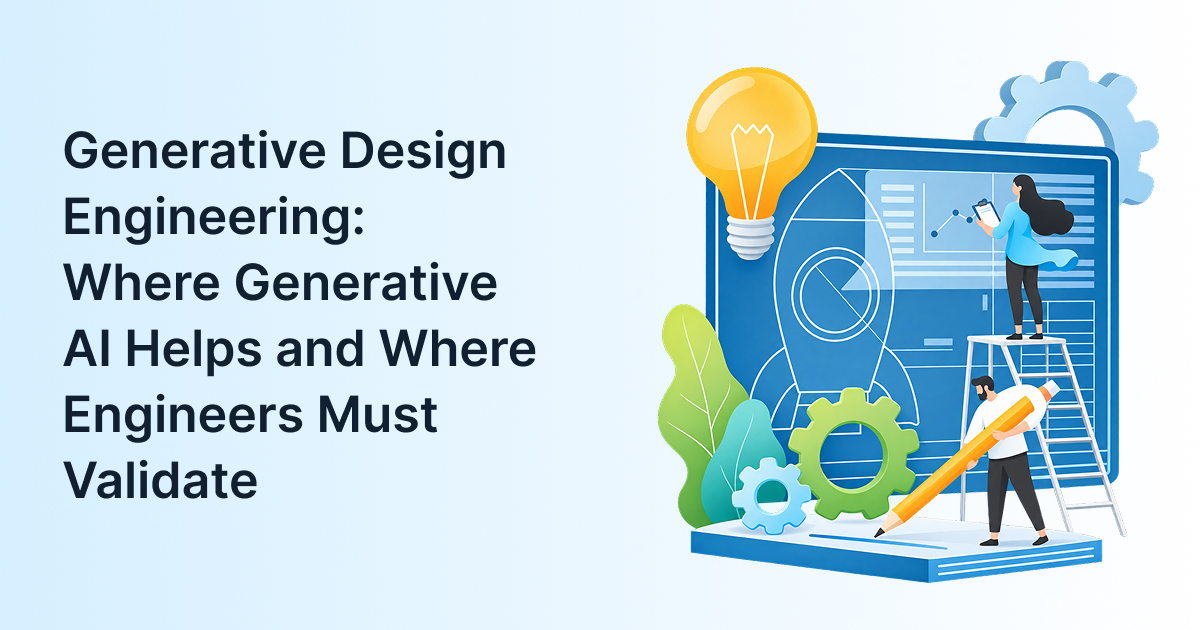
A generative design run can hand you dozens of bracket concepts in an afternoon. A few will be lighter than anything your team would draw; some will be impossible to cast, machine or inspect. The gap between “the software produced it” and “we can build it” is where generative design engineering succeeds or fails.
Teams that run concept design, simulation and manufacturability checks as one loop, as good engineering services for manufacturers do, get the most from it. Here’s which parts of the engineering design process AI can take on, and which checks still need an engineer’s name.
Generative design engineering is a workflow where an engineer defines loads, keep-out zones, materials and manufacturing methods, and software generates and evaluates many geometries that meet them. Generative AI usually means models producing text, images or code from a prompt. Both create options. Neither confirms an option is safe or buildable.
Most generative design tools run on topology optimization (removing material where stress is low) plus simulation. Language models sit elsewhere: summarizing requirements, drafting test plans or writing CAD scripts.
They fail differently. An optimizer fails quietly when its inputs are wrong, perfectly optimizing a load case that doesn’t match the field. A language model fails by sounding sure about something untrue. Different failure, different check.
AI helps most where the work is generating and comparing options rather than proving one: early concepts, weight reduction of non-critical structures, families of similar parts, and the documents around a design. In these areas a wrong first answer is cheap, because an engineer reviews it before anything is cut or ordered.
Concept exploration and light weighting
Take a material handling OEM redesigning a conveyor-drive bracket. The engineer sets bolt interfaces, the motor envelope, wrench clearance and three load cases. The software returns steel and aluminum options with mass and stiffness estimates, so the team learns in a day what took a week of sketching. For the wider toolset, including surrogate models that speed up simulation, see our guide to how AI improves design optimization.
Variants and design paperwork
Much of product design and development time goes to variants, like one frame at four lengths. AI-assisted scripting handles these well because only parameters change. Generative AI also drafts requirements checklists and DFMEA (failure mode analysis) outlines. It saves reviewer time; it doesn’t replace the reviewer.
Engineers must own every input and every proof: load cases, material data, the manufacturing method, tolerances, fatigue, standards compliance and release. AI can produce a geometry that satisfies the model you gave it. Only an engineer can confirm that model reflects the real product and how customers use it.
Loads and boundary conditions
The optimizer knows only what you tell it. Miss a transport shock, an operator standing on a guard, or engine heat, and the result is light, elegant and wrong. This failure happens before the software even runs.
Manufacturability with your actual processes
Showcase generative parts are often 3D printed; most agricultural and heavy-machinery parts are not. If your supplier casts, machines or welds, the geometry needs draft angles, minimum walls, tool access and measurable datums, checked against real supplier capability.
Fatigue, tolerances and the real duty cycle
Thin organic shapes can concentrate stress at transitions, and generation meshes are too coarse to judge fatigue. Re-run the chosen design with refined FEA, check tolerance stack-ups, and test prototypes where the duty cycle is severe. Then a qualified engineer signs off, with the inputs and analysis recorded; safety and design-control rules expect exactly that.
Did you know?
NASA research engineer Ryan McClelland, who designs AI-generated “evolved structures” at Goddard, notes that the algorithm “can sometimes make structures too thin.” His parts are still checked with NASA-standard validation software and processes.
A practical rule: AI proposes engineers dispose. Let AI lead where options are cheap to discard, share work where checks can be automated but need review, and keep engineers fully in charge wherever an error would reach the customer. Here’s the map, with the evidence each step should produce.
| Design step | AI’s role | Engineer’s role | Evidence before moving on |
| 1. Requirements and load cases | Draft from specs and past projects | Own and approve | Approved load case list |
| 2. Concept geometry | Lead: generate and rank options | Set constraints, pick 2-3 | Concept comparison (mass, stiffness, cost) |
| 3. Material and process | Suggest options | Decide with supplier input | Supplier feasibility check |
| 4. Detail design and DFM | Assist with rule checks and variants | Own | DFM review (draft, walls, access) |
| 5. Analysis and verification | Speed up with surrogate models | Own refined FEA/CFD | Verified analysis report |
| 6. Tolerances and drawings | Flag missing information | Own GD&T and stack-ups | Released drawing |
| 7. Testing and release | Help plan and summarize | Own testing and sign-off | Test report and approval record |
Trouble starts when AI drifts into steps 5 to 7 because it did well in step 2.

The usual mistakes are treating the first generated shape as finished, optimizing for too few load cases, ignoring the production process, putting confidential CAD into unapproved tools, and judging success by concept speed instead of rework. Each is avoidable with a few rules agreed before the first pilot.
Will generative design replace your FEA engineers? The short answer is no. It moves their time from drawing options to checking them.
Start with one part family where weight, cost or lead time matters and loads are well understood, such as brackets, housings or fixtures. Write the constraints and validation gate first, run generative design alongside your normal process on one project, then compare mass, cost, engineering hours and rework before scaling.
Some teams run the pilot in-house; others use product engineering services for the FEA, DFM and fixture-design work that builds the constraint library and validation gate, then take it over. And geometry is only one piece: this overview of where GenAI fits across engineering work covers the rest.
So, can you trust an AI-generated part? Yes, once it has passed the same analysis, review and testing as any other part.
Key Takeaways

Generative AI shifts engineering time from drawing the first option to defining the problem and proving the answer. It doesn’t make advanced engineering solutions easier to sign off; it makes the checking matter more. If you’d like a second pair of eyes on where AI fits in your design workflow, talk to our engineering team and we’ll work through it with you.
1. Is generative design the same as topology optimization?
Not quite. Topology optimization removes material from a fixed design space to meet stiffness or strength targets. Generative design wraps that solver in a broader workflow, exploring several materials, processes and goals at once and returning options to compare. Topology optimization is often its engine.
2. Can generative AI create CAD models that are ready to manufacture?
Not reliably. Generative design tools return editable geometry, and language models can script features, but output still needs process detailing, GD&T, refined analysis and a drawing check. Treat it as a strong first draft that shortens concept work, not a released part.
3. Do you need 3D printing to use generative design?
No. Many tools constrain results for milling, casting or sheet metal, producing simpler shapes your existing suppliers can make. Weight savings are usually smaller than with additive manufacturing, but the parts are buildable. Set the process constraint at the start.
4. What kinds of parts suit generative design best?
Brackets, mounts, housings, frames and fixtures suit it best: clear load paths, defined interfaces and measurable goals like mass, stiffness or cost. Cosmetic parts, assemblies with many moving interfaces, or parts with poorly defined duty cycles gain far less from it.
5. How do you protect design IP when using AI tools?
Approve tools before anyone uploads data. Prefer enterprise or on-premise versions with clear data-retention terms, keep customer drawings out of public chatbots, and check customer contracts for third-party software limits. Log which tool and version produced each result for traceability.

Senior Vice President, Katalyst Engineering
Bhavik Shah is the Vice President of Global Engineering and Manufacturing at Katalyst Engineering, with over 22 years of experience in the engineering industry. He specializes in product development, R&D, and engineering delivery operations, driving innovative, design-led solutions across automotive, industrial, and off-highway sectors. Bhavik plays a key role in strengthening engineering strategies, building global partnerships, and delivering high-performance outcomes for clients.